Are you looking for an efficient way to manage your SAP CPI artifacts? Moving integrations between environments within the same tenant can be tricky. In this guide, I explain exactly how to transport iFlows to local package seamlessly. By following these steps, you will automate the process and avoid common manual errors.
The Problem
Working with a single tenant in CPI often creates challenges. Specifically, separating enviroments into different packages is difficult. Why? Because the unique ID for iFlows prevents direct copying between packages. Consequently, you must make tedious manual adjustments every time.
The Solution
Fortunately, our functionality provides a solution. It simplifies the process to transport iFlows to local package. Furthermore, it automates the heavy lifting. The tool ensures that:
- First, artifacts move with their latest version (draft versions are excluded).
- Second, unique IDs are automatically managed during the transport process.
- Finally, you can move multiple iFlows simultaneously within the same package.
How to Use
To start, simply make a POST request. You should use the following JSON format to transport iFlows to local package:
{
  "transport": {
    "SourcePackageID": "PackageA",
    "TargetPackageID": "PackageB",
    "FlowSuffix": ".PRO",
    "iFlowsID": {
      "Id": [
        "Test_transport_iflow",
        "Test_transport_iflow_copy",
        "Test_transport_iflow_copy_copy",
        "Test_transport_iflow_copy_copy_copy"
      ]
    }
  }
}
However, please ensure two things first:
- The iFlow must exist.
- The target package must also exist.
Example Scenario
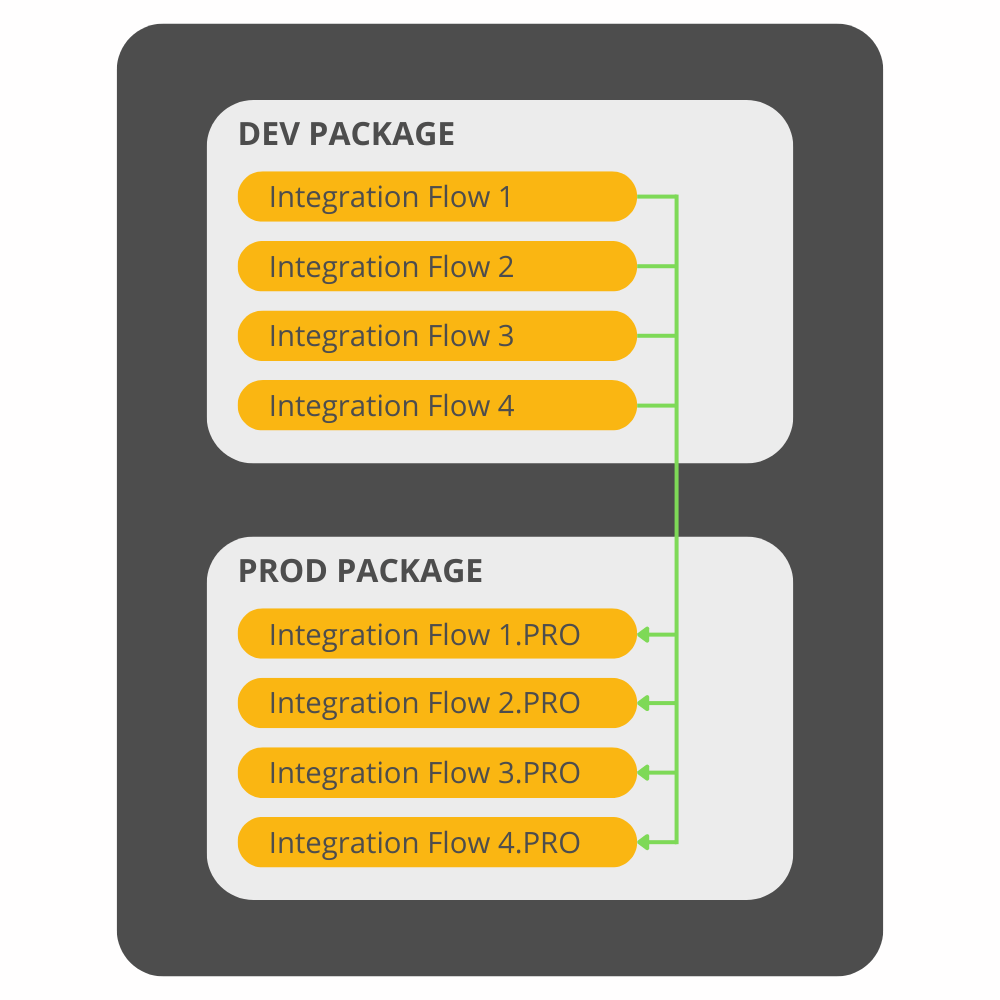
Suppose you have an artifact in the Development Package (PackageA). You want to transport iFlows to local package, specifically to the Production Package (PackageB). With this functionality, you gain benefits.
For instance, you can move multiple artifacts at once. Also, you do not need to worry about unique IDs. Afterward, you will find them in the target package with updated IDs.
iFlows to transport
iFlows to Transport Imagine you have four artifacts. You want to move the following list from PackageA to PackageB:
- Test_transport_iflow
- Test_transport_iflow_copy
- Test_transport_iflow_copy_copy
- Test_transport_iflow_copy_copy_copy
To successfully transport iFlows to local package, specify them in the JSON payload. Additionally, you must include three extra fields:
- SourcePackageID (e.g. “PackageA”)
- TargetPackageID (e.g. “PackageB”)
- FlowSuffix (the suffix to ensure a unique name, e.g. “.PRO”)
An example JSON body could look like this:
{
  "SourcePackageID": "PackageA",
  "TargetPackageID": "PackageB",
  "FlowSuffix": ".PRO",
  "IFlows": [
    "Test_transport_iflow",
    "Test_transport_iflow_copy",
    "Test_transport_iflow_copy_copy",
    "Test_transport_iflow_copy_copy_copy"
  ]
}
In this example, the source and target package IDs are explicitly defined.
The FlowSuffix .PRO will be appended to each iFlow name during transport to guarantee uniqueness in the target package.