In this blog post, we’ll show you the new features included in the Code10 CI Accelerator add-on, whose last update was released in March 2026. But, first, we’ll go through a brief overview of what it is and how it can help your business ensure that your SAP Integration Suite implementations are a success.
What Is The Code10 CI Accelerator, The Best Add-on For Integration Suite
For a long time now, at Code10 we have been carrying out integration projects – both new implementations and migrations – and we have realised that SAP Integration Suite is like a blank canvas on which we have to design the architecture we want for our integrations.
That is why we decided to compile all that knowledge, bring it all together, package it up and offer it to market under the name Code10 CI Accelerator. Its first was released in 2022, and over the years, it has gradually improved.
Initially, it only covered the development side of SAP Integration Suite with Integration Content, best programming practices, and our renowned integration patterns. But as the years have gone by, we have added applications programmed in CAP that significantly improve the day-to-day operation of integrations, as well as their monitoring and maintenance functions.
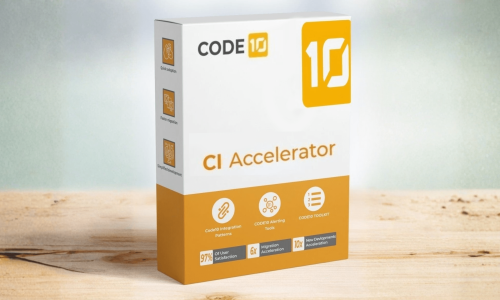
Our Code10 CI Accelerator is a suite that will assist you with both new implementations (greenfield) and any migration from SAP PI/PO or any other middleware. It consists of three components:
- C10 Integration Content
- C10 Power Apps
- C10 Activate Methodology
Code10 Integration Content: The Power Of Integration Patterns
Code10 Integration Content brings together all the integration patterns we had developed over the years to perform various functions, with the aim of ensuring that all our developments were consistent and harmonised for all our clients. Why should we have to programme an alert mechanism, error handling, an automatic retry mechanism, and decoupling between sender and receiver for each individual client or for each of the different interfaces?
There were many use cases we wanted to implement to make our interfaces more robust, so we began developing our own integration patterns for each of the scenarios we encountered over the years.
However, the Integration Content we have is not limited to these integration patterns. A wide range of features and iFlow processes have also been developed for various clients, and these prove very useful for many others later on.
We have decided to organise all this and add more value to the services we provide to our clients when we undertake these projects. In other words, when we come across a new implementation, a new requirement or a set of interfaces for carrying out a migration, we already have all these small components ready, tried and tested, which will help us put the integrations together. These are the building blocks we have carefully selected to create integrations that prioritise quality, robustness and reusability.
Fortunately, SAP has also recognised the validity of our approach, and two years after we released our integration standards, SAP released its own, now known as Pipeline Content.
The difference is that our patterns remain simpler and probably cover 99.9% of cases, whereas SAP’s have focused heavily on replicating SAP PI/PO in the Integration Suite, as well as covering many edge cases, making their maintenance and logic more complicated.
Furthermore, our integration patterns work in both Cloud Integration – deployed in the cloud – and Edge Integration Cell, as they are based on value mappings and developments that can be deployed in either environment, rather than on the Integration Directory, which, at the time of writing this blog, is not yet available for Edge Integration Cell.
C10 Integration Content: What’s New In Version 2603
The main change is that we have migrated – or rather, updated and documented – all our Groovy scripts from version 1.0 to 2.0 for two reasons: we believe this version is much more powerful and secure, and will therefore improve the performance of our use of Groovy scripts
In addition, all components of the Integration Suite have been updated to the latest versions.
This comprehensive update means our customers need not worry when SAP discontinues Groovy 1.0, and it has been implemented in accordance with SAP’s latest guidelines for creating Groovy scripts.
The other major new feature is the creation of our dedicated Kafka patterns. Previously, we handled the reading and processing of Kafka messages either as XML or JSON, depending on the content, but we wanted to go one step further and equip our patterns with best practices for integrating SAP and Kafka.
To this end, we have implemented two features that have been in high demand among our customers using Kafka, such as message validation against AVRO schemas – both local schemas and those in a service repository such as Confluence. This validation can be configured with parameters such as the retention time for the AVRO schema in our cache, whether SAP Integration Suite is acting as the consumer or the producer.
In addition to message validation, we have also implemented ‘consumer idempotency’; given that Kafka can have an ‘At least once’ QoS, this functionality is essential for preventing duplicates when processing messages from Kafka systems with more than one partition. This idempotency also allows us to delete these records should we wish to reprocess messages that have already been processed by resetting the offset on the Kafka side.
The best thing about our templates is that they are 100% compatible with Edge Integration Cell, and of course these new Kafka templates are too.
C10 Power Apps: More Than Just A Process Monitor
Our C10 Power Apps are the perfect complement for managing the day-to-day operations and development of the integrations within our SAP Integration Suite.
They are the result of compiling the extensive feedback our clients have given us over the years regarding what was missing or what they felt was lacking in Integration Suite; so, a couple of years ago, we set to work and developed our C10 Power Apps on SAP CAP, deploying them on each client’s own SAP BTP.
The main reason is that this way, users don’t feel as though they’re leaving the app to carry out everyday tasks.
Among our apps, the most notable ones are:
- Integration Dashboard: A single hub where you can search for all objects in the Integration Content and deploy or undeploy them in bulk. This is particularly useful during system downtime, as it drastically reduces the effort involved. It also allows you to check whether the deployed version matches the one currently on the system.
- Process Monitor: To work with patterns, messages need to be grouped into processes; otherwise, this is impossible using the standard SAP monitor. We developed a monitor which groups all the steps (i-flows) of a process. It turned out so well, we decided to make it compatible with the SAP Pipeline Concept V1.0 and V2.0, as well as with any integration pattern, even if it wasn’t designed by Code10.
We could explain many more features, such as the certificate manager, the home screen with its many KPIs, or the Value Mappings manager, but it’s best if you take a look: request a demo
C10 Power Apps: What’s New In Our Add-on For SAP Integration Suite
The C10 Power Apps update brings a whole host of improvements and new features, but plenty more are in the pipeline for future releases – so stay tuned.
We are delighted to announce that all our apps are now compatible with Edge Integration Cell (EIC), meaning we can now monitor, deploy and do everything we did before, but with our various runtime nodes deployed on any hyperscaler or on-premises.
We also needed to support Kafka schemas, so we’ve developed an app that converts AVRO schemas into XSD with incredible accuracy – so much so that our consultants, who previously used third-party apps, have stopped using them because ours works much better.
As a final surprise, we’ve also launched an app that automatically documents the system’s Iflows – it’s the best gift we could have given both our developers and all C10 Power Apps users. This is the first version, so we haven’t yet documented the mappings that occur within the Iflows, but it’s a promising step. Watch out for future versions!
In addition to all the above, our add-on also includes:
- JMS Queue Status KPI: new KPI dashboard widget with improved visual design
- Partner Directory Improvements: enhanced Partner Directory management
- Bulk Delete for Process Configurations: users can now delete multiple process configurations at once
- “Do Not Show Empty Queues” Option: new filter toggle for cleaner queue monitoring
- Direct Navigation from Process Cockpit to IFlow: one-click navigation added
- Process Filtering by Environment: Process Cockpit now filters processes by selected environment
C10 Activate Methodology For Better Integrations In SAP
For successful implementation, having the right tools and the support of an expert team like ours is essential. However, it is equally important that the implementation is underpinned by a methodology that has been proven over time through the successful implementation of Integration Suite and migrations, both from SAP PI/PO and other middleware solutions.
This methodology is a refinement of SAP Activate, in which we propose a phased implementation (in waves), with increasing complexity but always taking into account the availability of both the client’s resources and the necessary infrastructure changes.
If you’ve read this far, all I can say is thank you very much, and I hope you have a great time with your integrations!